What Is Web Hosting? A Plain-English Beginner's Guide
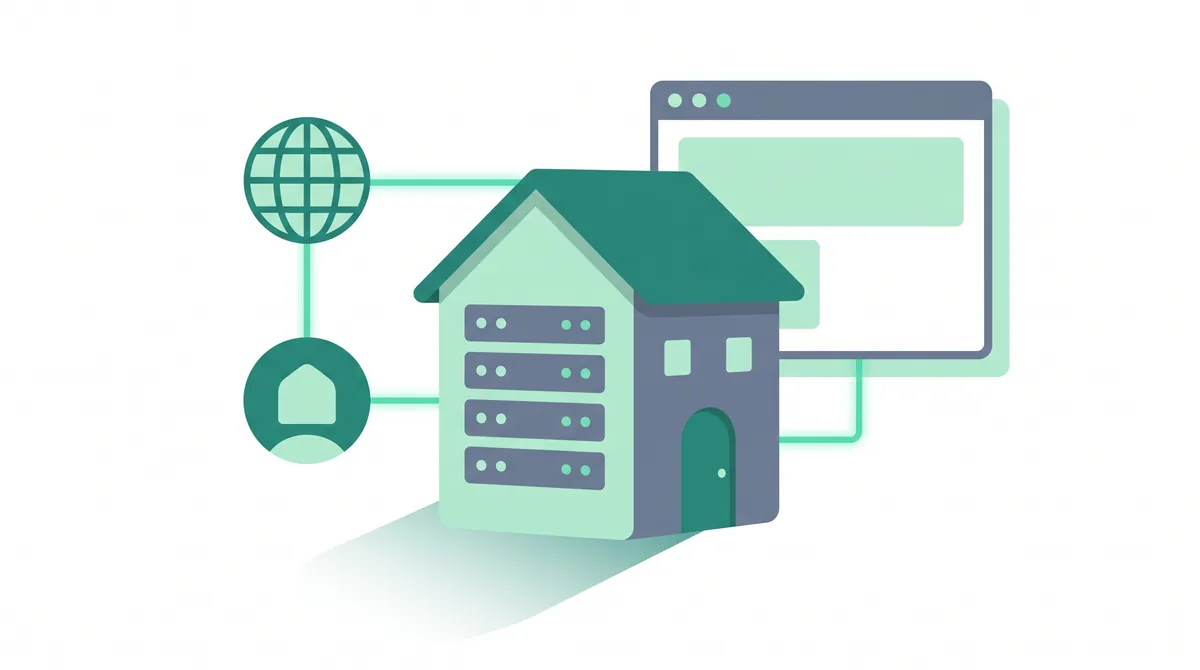
Web hosting is a service that stores your website's files on a server — an always-on computer connected to the internet — so anyone can view your site by typing your domain. You rent space on that server, your pages and images live there, and the server sends them to visitors' browsers on request.
Key takeaways
- Web hosting is where your website lives; a domain is the address people type to find it. You usually need both.
- A server is a powerful computer that stays on all day, every day, so your site is always available.
- The main types are shared, VPS, cloud, dedicated, and managed WordPress hosting — they differ in how much of a server you get and how much is handled for you.
- Prices range from a few dollars a month for shared hosting up to hundreds a month for a dedicated server. Always check the renewal price, not just the first-term discount.
- Free hosting exists, but it usually adds ads, sets tight limits, and blocks a custom domain — fine for practice, not for a real site.
What web hosting actually is
Every website is really just a collection of files: the text of your pages, your images, your logo, the code that controls the layout, and often a database of content. Those files have to live somewhere that is switched on and connected to the internet twenty-four hours a day, so that anyone in the world can reach them at any moment. That "somewhere" is a server, and paying a company to keep your files on one of their servers is what we call web hosting.
A server is a computer — a fast, reliable one — that is built to stay on all the time and to send web pages to visitors when they ask for them. Your laptop can open web pages; a server's job is the opposite, to serve them out to thousands of visitors at once without slowing down or shutting off. A web host (or hosting provider) is the company that owns those servers, keeps them running, protects them, and rents you a slice of one so your website has a home.
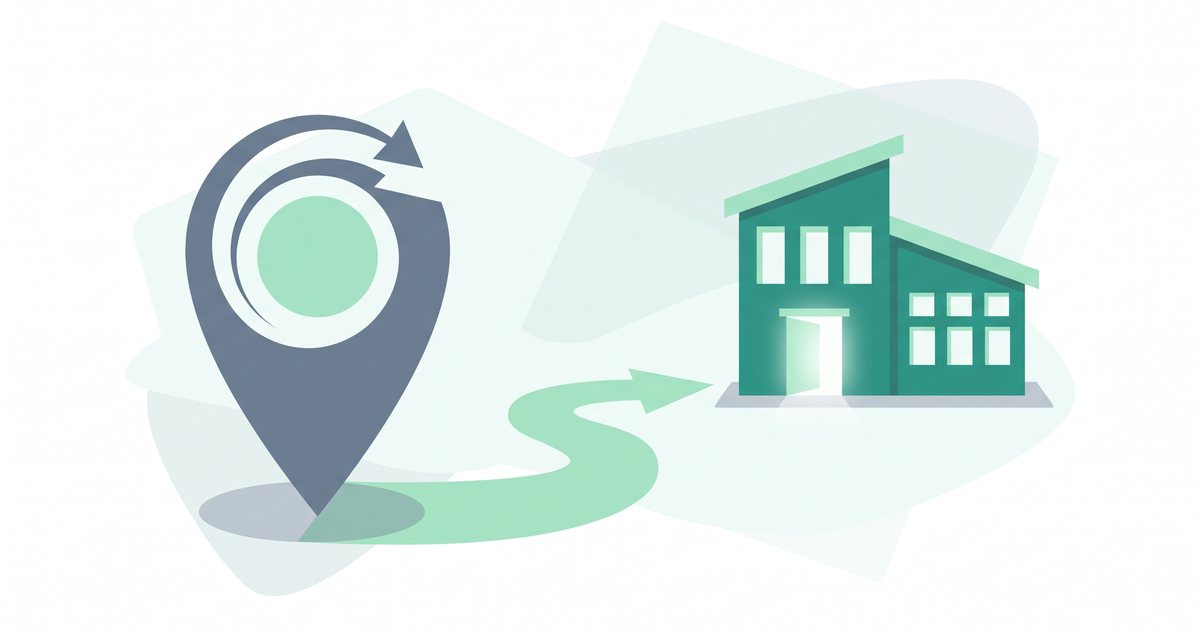
It helps to think of it like renting space for a shop. The internet is the city, your domain name is the street address on the door, and the hosting is the actual retail unit where your goods sit on shelves. You could not open a shop with just an address and no premises — and in the same way, a domain with no hosting points to nothing. Hosting is the premises where your website genuinely exists.
Along the way you will meet a handful of words that describe what you are renting. It is worth defining them plainly now, because every hosting plan is sold using them:
- Storage is how much disk space you get for your files — your pages, images, videos, and database. Measured in gigabytes (GB), it is the size of your "shelf space." A small site needs very little; a large media library needs more.
- Bandwidth is how much data your host will send to visitors over a period, usually a month. Every time someone loads a page, they download its files, and that counts toward bandwidth. A busy site with lots of visitors and large images uses more.
- Uptime is the percentage of time your site stays online and reachable. Good hosts advertise 99.9% uptime or better; the small remainder covers rare maintenance or faults. Higher is better, because every minute of downtime is a visitor who cannot reach you.
- A data center is the physical building — full of racks of servers, backup power, cooling, and fast internet lines — where your host keeps its machines. Choosing a data center near your visitors helps your site load faster for them.
This guide is the starting point for the whole Bitrich777 Hosting Help Center. If you are about to build your first website and you keep seeing the word "hosting" without a clear explanation, you are in the right place. By the end you will understand exactly what you are buying, how it works, and how to pick a plan without overpaying or under-buying.
How web hosting works, step by step
The magic of the web is that all of this happens in a fraction of a second, every time someone visits a page. Here is the whole journey, from the moment you sign up to the moment a visitor sees your site, in plain language.
- You rent space on a server. You choose a hosting plan and a host gives you an account on one of their servers. That account is your reserved slice of the machine: your storage, your bandwidth allowance, and a control panel to manage it all.
- Your website's files live on that server. You upload your site — the HTML pages, the images, the stylesheets, and any database of content — into your hosting account. From that point on, your website physically exists on the host's server, ready to be sent out.
- A visitor types your domain. Someone opens their browser and enters your domain name, for example
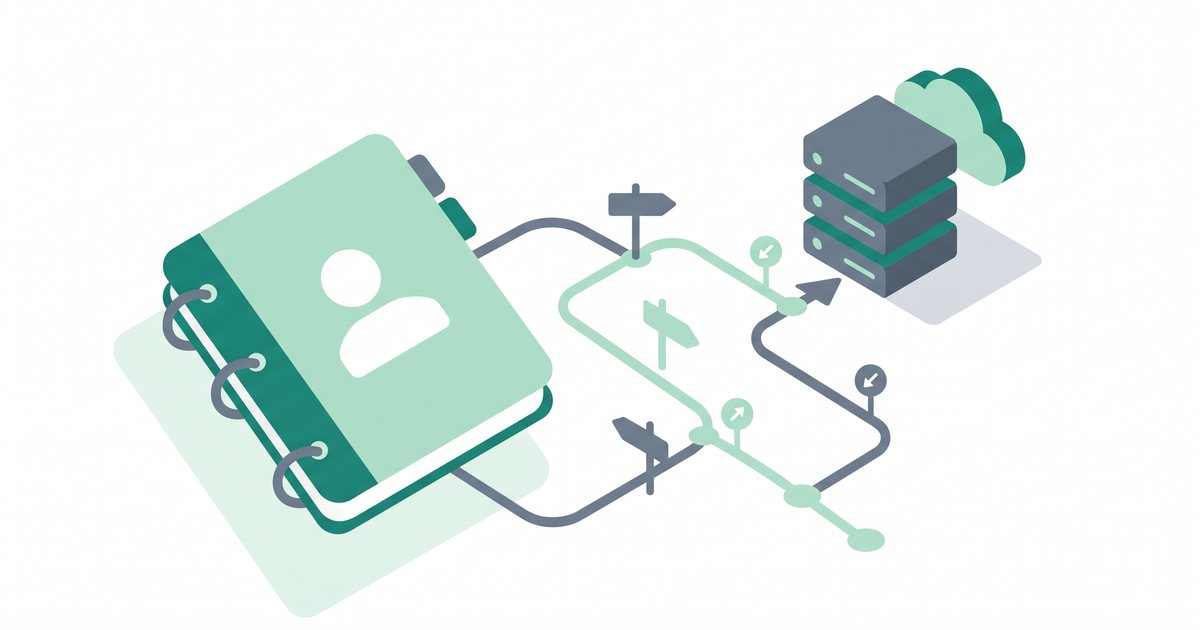
yoursite.com. But the internet does not actually find sites by name — it finds them by number, so a translation has to happen first. - DNS points the domain to your server. The Domain Name System (DNS) is the internet's phone book. It looks up your domain and returns the IP address — a unique numeric label like
192.0.2.10— of the exact server your site lives on. This lookup is why a domain and hosting have to be connected to each other. - The browser asks that server for your page. Now that it knows the address, the visitor's browser sends a request straight to your server: "please send me the home page."
- The server builds and sends the page. The server finds the right files, assembles the page (for a site like WordPress it also asks the database for your latest content), and sends it all back across the internet to the visitor's browser.
- The browser displays your website. The visitor's browser receives the files and draws them on screen as the finished page. To them it looks instant — but behind the scenes your host just did every step above.
Notice what your host is quietly responsible for in all of this: keeping the server powered on, connected, secure, and fast enough to answer every request quickly. When people talk about a host's uptime and speed, this is the loop they mean — how reliably and how quickly your server completes that round trip. If the server is off, overloaded, or slow, visitors get an error or a page that crawls. A good host keeps that loop invisible.
Speed is part of hosting, not separate from it. How fast your server answers each request — often measured as the time to the first byte of the page — depends on the quality of your host and plan as much as on your site. If your pages feel slow, our guide to website speed optimization walks through what you can improve on your side and what is down to the server.
Web hosting vs a domain name: what's the difference?
This is the point that confuses almost every beginner, so let's make it simple. A domain name and web hosting are two different things that work together, and most websites need both.
Your domain is your address. It is the name people type to find you — yoursite.com. You register it, usually for a yearly fee, and it is yours to point wherever you like. On its own, a domain does nothing but sit there; it is a signpost with no building behind it yet.
Your hosting is where the site actually lives. It is the server space that holds your files and serves them to visitors. Without hosting there is nothing for the domain to point at, so a visitor who types your address would land on an empty page or an error.
Connect the two — point your domain's DNS at your hosting server — and you have a working website. You can buy a domain and hosting from the same company for convenience, or from two separate companies and link them; both are common and neither is wrong. Many hosting plans even include a free domain for the first year, which is why the two are so often bundled together and so easily confused.
The one-line version: the domain is the address on the door, the hosting is the shop behind it. If you want the full breakdown — including how to connect them and whether to buy them together or apart — read our dedicated guide to the difference between a domain and hosting.
Can you host a website yourself?
Technically, yes. A server is just a computer, and you could turn a spare machine at home into one, connect it to your internet line, and serve a website from your living room. Hobbyists and developers do exactly this to learn. But for a real website that you want the public to reach, self-hosting at home is almost always impractical — and here is the honest list of reasons why.
- Uptime. A server has to stay on and online every second. A home power cut, an internet outage, or restarting your computer all take your site offline. Data centers have backup generators and redundant internet lines precisely so this does not happen.
- Bandwidth and speed. Home internet is built for downloading, not for serving pages out to lots of visitors at once. Your upload speed is usually much slower, so a few simultaneous visitors could bring the site to a crawl.
- Security. A public server is a target. Keeping it patched, firewalled, and protected against attacks is a real, ongoing job. A host has teams and systems that do this around the clock.
- A stable IP address and configuration. Home internet connections often get a changing IP address, which breaks the DNS link to your domain. Servers also need careful setup — the web software, email, certificates, and more — that a host configures for you.
- Your time. Even if you solve all of the above, you have just given yourself a second unpaid job as a system administrator. Most people would rather spend that time on their actual website.
This is the whole point of paying for hosting: a provider handles the always-on hardware, the fast connection, the security, the backups, and the setup, and spreads the cost across thousands of customers. For a few dollars a month you get infrastructure that would cost a fortune and a lot of expertise to run yourself. That is why, for nearly everyone building a real site, renting hosting is the sensible choice.
The main types of web hosting
"Hosting" is not one product. The types differ mainly in how much of a server you get and how much of the technical work is handled for you. As your site grows, you can move up the ladder. Here is a one-line overview of each, and who it usually fits.
| Type | What it is, in one line | Who it's for |
|---|---|---|
| Shared hosting | Many websites share one server and its resources, which keeps the price very low. | First sites, blogs, small business sites, and anyone on a budget. |
| VPS hosting | A virtual private server — one server split into private slices, each with guaranteed resources and more control. | Growing sites that outgrow shared hosting or need custom settings. |
| Cloud hosting | Your site runs across a network of servers, so it can scale up on demand and stay up if one machine fails. | Sites with variable or spiky traffic that value flexibility and resilience. |
| Dedicated hosting | An entire physical server is yours alone, with maximum power and control (and the highest price). | Large, high-traffic sites and businesses with heavy or specialist needs. |
| Managed WordPress hosting | Hosting tuned for WordPress, where the host handles updates, security, speed, and backups for you. | WordPress owners who want simplicity and to skip the maintenance. |
The trade-off across this table is consistent: cheaper, simpler plans (shared, managed WordPress) hand more of the control and the work to your host, while more powerful plans (VPS, dedicated) give you more resources and freedom in exchange for more responsibility or cost. Cloud sits alongside them as a flexible way to scale. Most people start on shared or managed WordPress hosting and only move up when their traffic genuinely demands it.
If you want to go deeper, our full breakdown of the types of web hosting compares them in detail. And because the first real decision most people face is between the two cheapest tiers, we have a focused comparison of shared hosting vs VPS hosting to help you choose. Building on WordPress specifically? Start with our WordPress hosting guide.
How much does web hosting cost?
The honest answer is: less than most beginners expect to start, and it scales with what you need. Hosting is priced by type, and the range is wide. As a general guide — always verify current pricing with the provider, because plans and promotions change often — here is what to expect.
- Shared hosting is the entry point, commonly a few dollars a month. This is where almost every first website begins, and it is plenty for a new blog or small business site.
- Managed WordPress hosting usually costs a bit more than plain shared hosting, because you are paying for the host to handle updates, security, and speed for you.
- VPS and cloud hosting sit in the middle, often from around ten dollars a month upward, rising with the resources you reserve.
- Dedicated hosting is the top of the range and can run to hundreds of dollars a month, because you are renting a whole physical server for your site alone.
Watch the renewal price, not just the sign-up price. Hosting is often sold with a heavy discount on the first term, then renews at a noticeably higher rate. A plan advertised at a low monthly figure may only cost that if you pay for several years upfront, and it can double or more on renewal. Before you buy, find the regular renewal price and factor it in — that is the number you will actually pay long-term.
There are usually a few small extras to be aware of too, such as a domain name (sometimes free for the first year, then billed annually) and an SSL certificate — the piece that turns on the padlock and https in the address bar — which good hosts now include for free. For a full breakdown of what drives the price and how to avoid paying for more than you need, see our guide to how much web hosting costs.
Can you host a website for free?
Free web hosting does exist, and it can be genuinely useful for learning, testing, or a throwaway project. But "free" always comes with trade-offs, and it is important to know them before you build anything you care about on it. The common catches are:
- Ads you do not control. Many free hosts place their own advertising on your pages to pay for the service. You cannot remove it, and it makes even a good site look unprofessional.
- No custom domain. Free plans usually give you a sub-domain like
yoursite.freehost.comrather than your ownyoursite.com. That is harder to remember, weaker for branding, and a clear signal to visitors that the site is not a serious one. - Tight limits. Expect small storage, limited bandwidth, and slower performance. Get a little traffic and the site may slow down or be temporarily shut off.
- Little or no support. When something breaks, you are usually on your own. Paid hosts offer help precisely for the moments things go wrong.
- Uncertain future. A free service can change its terms or close down, and your site can go with it. There is less commitment on either side.
The short version: free hosting is fine for practising or experimenting, but for a real website — a business, a portfolio, a shop, anything you want to grow — the low cost of a proper shared plan is well worth it for your own domain, no forced ads, real support, and room to grow. If your goal is to learn by building, a free plan is a reasonable sandbox; when it is time to go live for real, move to a paid plan.
How to choose web hosting (the short version)
Once you understand what hosting is, choosing a plan gets much easier. You do not need to compare every feature — you need to match a plan to your situation. A quick way to narrow it down:
- Start with your type of site. A first blog or small business site is a natural fit for shared or managed WordPress hosting. Only reach for VPS, cloud, or dedicated when your traffic or requirements genuinely call for them.
- Check reliability and speed. Look for a strong uptime commitment (99.9% or better) and a data center located near most of your visitors, so pages load quickly.
- Look at what is included. A free SSL certificate, easy one-click installs for software like WordPress, email accounts, and automatic backups all save you money and hassle later.
- Read the renewal price. As above, compare the long-term cost, not just the introductory offer.
- Value good support. When you are new, being able to reach real help quickly is worth a lot. Check that support is available in a way that suits you.
Get those five right and you will avoid almost every beginner regret. For a full, criteria-by-criteria walkthrough — with a checklist you can follow — read our guide on how to choose web hosting. Once you have a plan, our tutorial on how to install WordPress takes you from empty hosting account to a live site.
Common beginner mistakes to avoid
The most expensive mistake is choosing on the headline price alone. That low monthly figure is often an introductory rate that applies only if you pay for years upfront, and it can jump sharply on renewal. Always find the regular renewal price and the term length before you commit, so you know the real cost of the plan over time.
Beyond price, these are the mix-ups and missteps we see most often from people buying their first plan:
- Confusing hosting with a website builder. Hosting is the space your site lives in; a website builder (or a platform like WordPress) is the tool you use to create the site. Some hosts bundle a builder, but they are not the same thing — you can have hosting with no builder, and builders that include their own hosting.
- Confusing hosting with a domain. As we covered above, the domain is the address and the hosting is the home. Buying one and assuming you now have both is a classic first mistake. Most sites need both, connected together.
- Under-buying — or over-buying. Signing up for a bare plan that cannot handle your images or traffic leads to a slow, unstable site. But the opposite is just as common: paying for a powerful VPS or dedicated server when a shared plan would comfortably do. Match the plan to your actual needs, and upgrade later if you grow.
- Ignoring backups and security. Assuming your host saves everything for you is risky — cover is uneven from plan to plan. Know what yours includes, and read our guide to website backups so a bad day is a quick restore, not a disaster.
Frequently asked questions
What is web hosting in simple terms?
Web hosting is a service that stores your website's files on a server — a powerful computer that stays on and connected to the internet all the time — so anyone can view your site by typing your domain. In everyday terms, hosting is where your website lives. You rent space on the host's server, put your files there, and the host makes sure they are delivered to visitors quickly and reliably.
Do I need web hosting and a domain?
For a normal website, yes, you usually need both. The domain is the address people type, such as yoursite.com, and the hosting is where the site's files actually live. On its own a domain points to nothing, and hosting with no domain has no memorable address. You can buy them together from one company or separately and link them. Many hosting plans include a free domain for the first year.
How does web hosting work?
You rent space on a host's server and upload your website's files to it. When someone types your domain, the Domain Name System (DNS) looks up the domain and returns the numeric IP address of your server. The visitor's browser then requests your page from that server, the server sends the files back, and the browser displays your site. All of this happens in a fraction of a second, every visit.
Can I host a website for free?
Yes, free hosting exists, but it comes with trade-offs. Free plans often place their own ads on your pages, give you a sub-domain instead of your own custom domain, set tight limits on storage and traffic, and offer little support. That makes free hosting fine for learning or testing, but not ideal for a real business or portfolio site. For anything you want to grow, a low-cost paid shared plan is usually well worth it.
How much does web hosting cost?
It depends on the type. Shared hosting, where most first sites begin, commonly costs a few dollars a month. Managed WordPress hosting is a little more, VPS and cloud hosting often start around ten dollars a month and rise with resources, and dedicated hosting can run to hundreds a month. Always verify current pricing with the provider and check the renewal price, since the first term is frequently discounted.
Which type of hosting should a beginner choose?
For a first website, shared hosting or managed WordPress hosting is almost always the right starting point. Both are affordable and handle the technical work for you, so you can focus on building the site rather than running a server. You can move up to VPS, cloud, or dedicated hosting later if your traffic grows and genuinely needs it — there is no benefit to paying for more power than your site uses.
Is web hosting the same as a website builder?
No. Web hosting is the space where your website's files are stored and served from. A website builder is the tool you use to design and create the site itself, often by dragging and dropping. Some hosts include a builder in their plans, and some builders come with hosting bundled in, which is why they get confused. But they are separate roles: one houses your site, the other helps you make it.
Summary
Web hosting is simply where your website lives: a service that keeps your files on an always-on server so anyone can reach your site through your domain. The domain is the address, the hosting is the home, and DNS connects the two so a visitor's browser can find your server and load your pages in a fraction of a second. The main types — shared, VPS, cloud, dedicated, and managed WordPress — vary by how much of a server you get and how much is handled for you, with prices from a few dollars a month up to hundreds. For a first site, a shared or managed WordPress plan is the natural choice; just check the renewal price and what is included before you buy. Ready to pick one? Your next step is our guide to how to choose web hosting, which turns everything here into a simple checklist.
If you're starting your very first website. When you are new, the simplest path is a beginner-friendly host that bundles the essentials — a domain, an SSL certificate, email, and one-click installs for software like WordPress — so you are not stitching separate services together on day one. Hostinger is one example of a host aimed at beginners that packages those pieces into an affordable shared plan, which keeps your first setup straightforward. Compare it against your own needs and, as always, verify the current pricing and the renewal rate before you decide. If valid at checkout, new users may be able to apply a code such as SPECIAL15 or SPECIAL10, subject to Hostinger's terms.
Affiliate disclosure: if you sign up through this link we may earn a commission, at no extra cost to you. How this works.
Keep reading
Curious about the machine behind the scenes? Learn what a web server is and how websites are actually served.
References
- ICANN — how the Domain Name System (DNS) resolves domains to IP addresses.
- Internet Engineering Task Force (IETF) — HTTP request and response basics (how a browser asks a server for a page).
- WordPress.org — official documentation on hosting requirements and installing WordPress.
- Let's Encrypt — how free SSL/TLS certificates enable
httpsfor hosted sites.