Email Hosting: The Complete Guide for Small Business
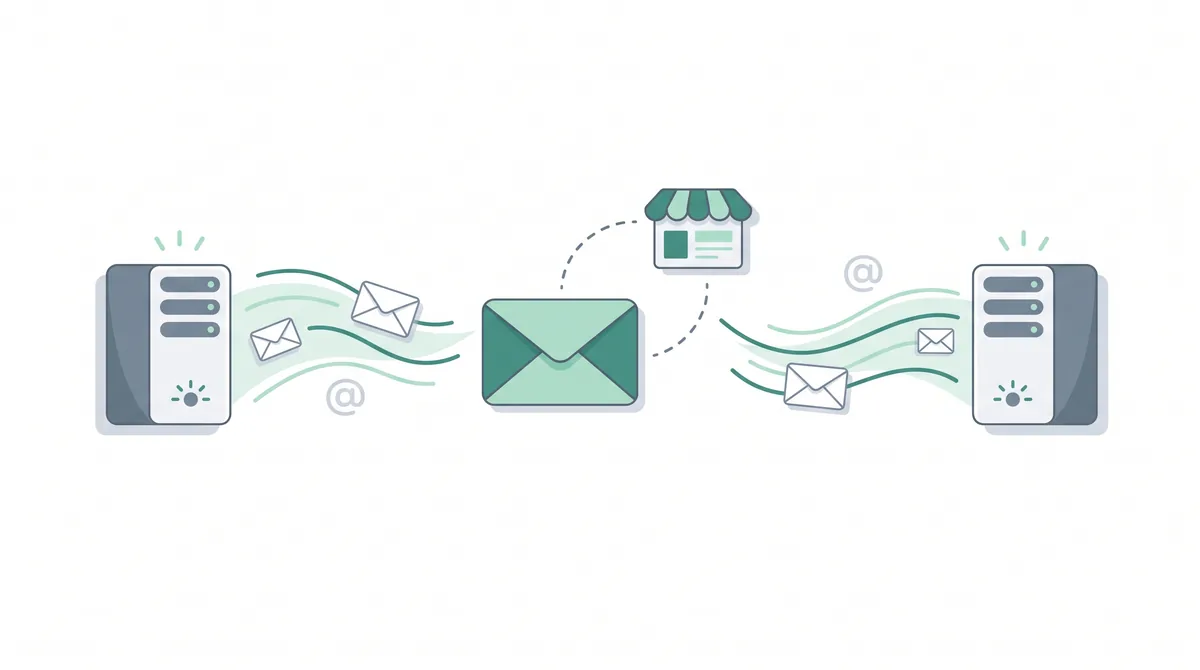
Email hosting is a service that runs mail servers for your domain, so you can send and receive email at your own address — like you@yourbusiness.com — instead of a free personal account. It gives you mailbox storage, spam filtering, and webmail, all tied to the domain you own.
Key takeaways
- Email hosting handles your email; web hosting handles your website. They are separate services, though many web hosts bundle email with a plan.
- A custom-domain email (you@yourbusiness.com) looks more professional and trustworthy than a free
@gmail.comor@yahoo.comaddress, and it reinforces your brand. - Sending uses SMTP; receiving uses IMAP or POP3; and MX records in your DNS tell the internet which server handles your domain's mail.
- Free options exist, but paid business email adds real storage, reliability, no ads, and support — worth it for a business you rely on.
- SPF, DKIM, and DMARC are DNS records that prove your mail is genuine and keep it out of the spam folder.
What email hosting actually is
Every email you send or receive has to pass through a computer that is switched on and connected to the internet all the time — a machine whose whole job is to accept, store, and deliver mail. That machine is a mail server, and paying a company to run one for your domain is what we call email hosting. In one sentence: email hosting is the service that lets you have email at your own domain name.
When you sign up, the provider creates mailboxes for you — one for each address, such as info@yourbusiness.com or you@yourbusiness.com — and gives each one a set amount of storage for the messages and attachments it holds. You get a webmail screen (an inbox you open in your browser, the way you open Gmail) and settings you can plug into apps like Outlook or Apple Mail on your phone and laptop. The provider also runs spam filtering, which quietly sifts out junk and scam mail before it reaches you.
So a good way to picture it: email hosting is the post office for your domain. It receives letters addressed to anyone @yourbusiness.com, sorts them into the right mailbox, holds them safely until you collect them, and sends your outgoing letters on their way. You rent that service, and in return every address at your domain simply works.
This guide sits inside the Bitrich777 Hosting Help Center. If you are setting up a business and you want email that looks professional — but the jargon around servers, MX records, and SMTP has you stuck — you are in the right place. By the end you will know exactly what email hosting is, how it differs from web hosting, which option fits you, and how to get it working.
Email hosting vs web hosting: what's the difference?
These two get mixed up constantly, so let's separate them cleanly. Web hosting stores your website — your pages, images, and code — on a server so visitors can view your site. Email hosting stores and delivers your email — the messages sent to and from your domain's addresses. They are two different jobs done by two different kinds of server.
The confusion is understandable, because they share one thing: your domain name. Your website lives at yourbusiness.com, and your email lives at @yourbusiness.com, so it feels like they must be the same service. They are not. If you are still fuzzy on what web hosting itself is, our plain-English guide to what web hosting is covers it from the ground up.
In practice you will meet the two in one of two ways:
- Bundled together. Many web hosting plans include email mailboxes as a feature, so buying hosting for your website also gives you email at your domain. This is the simplest setup for most small businesses — one account, one bill, everything in one dashboard.
- Separate services. You can host your website with one company and your email with a completely different provider. For example, you might keep your site on a web host but run your email on a dedicated email service. This is common when you want a specific email platform, or better deliverability and features than a bundled mailbox offers.
Both setups are normal, and neither is wrong. The key thing to understand is that they are independent choices: you are free to bundle them for convenience or split them for flexibility. What connects them behind the scenes is your domain's DNS, which we come to shortly.
Why use a custom-domain email address?
You can run a business from a free @gmail.com or @yahoo.com address — plenty of people start that way. But moving to a custom-domain email, one that ends in your own @yourbusiness.com, changes how customers see you. Here is why it is worth doing.
- It looks professional and trustworthy. Compare
janes.bakery.leeds@gmail.comwithjane@janesbakery.com. The second instantly reads as a real, established business. A free personal address on an invoice or a quote can quietly cost you the sale, because it signals "hobby," not "company." - It reinforces your brand. Every email you send carries your domain name in front of the reader. That repetition builds recognition, and it points people back to your website. A free address advertises the email provider instead of you.
- You own it. Because the address is tied to a domain you control, you decide who gets an address, you can add
info@,sales@, or a new team member in minutes, and you keep the whole thing even if you change email providers later. With a free personal account, you are a guest on someone else's platform.
In short, a custom-domain email is one of the cheapest, fastest ways to look like a serious business. For most small companies it is the first thing worth setting up after the domain itself.
How email works, in plain English
You do not need to be technical to run business email, but understanding the three or four moving parts makes every setting and every problem far less mysterious. Sending and receiving email each use their own protocol — an agreed set of rules that mail programs follow — and your domain's DNS quietly points everything to the right place.
- Sending uses SMTP. SMTP (Simple Mail Transfer Protocol) is the rulebook for pushing a message out. When you hit send, your mail app hands the message to your provider's SMTP server, which relays it across the internet to the recipient's mail server.
- Receiving uses IMAP or POP3. IMAP (Internet Message Access Protocol) keeps your mail on the server and syncs it across every device, so your inbox looks the same on your phone and your laptop. POP3 (Post Office Protocol) instead downloads mail to one device and often removes it from the server. For most people today, IMAP is the right choice.
- MX records point mail at the right server. An MX record (Mail Exchange record) is an entry in your domain's DNS — the internet's address book — that tells every other mail server on earth, "email for
@yourbusiness.comshould be delivered here." Without a correct MX record, mail sent to your domain has nowhere to go.
Put it together and a message to you travels like this: the sender's server looks up your domain's MX record in DNS, finds your mail host, and delivers the message there; your email hosting stores it in your mailbox; and your mail app collects it over IMAP to show in your inbox. Your outgoing replies take the reverse path over SMTP.
Two links worth bookmarking here: if you ever need to enter server settings by hand, our guide to SMTP and IMAP ports explained tells you exactly which numbers go where. And because MX records live in DNS, our primer on what DNS is explains the address book that makes all of this work.
Quick glossary. SMTP sends. IMAP receives and syncs across devices. POP3 receives and downloads to one device. MX record is the DNS signpost that routes your domain's mail to the right host. If you remember only those four, the rest of email setup makes sense.
Your email hosting options at a glance
There is no single "email hosting product." There are several routes to email at your domain, and they differ in price, features, and how much they do for you. Here are the five common paths, with the trade-offs and who each one suits.
| Option | Pros | Cons | Who it's for |
|---|---|---|---|
| Email included with a web hosting plan | Cheapest path; one account and one bill; set up alongside your website. | Storage and features are often basic; deliverability can be weaker than a dedicated service. | Small businesses that want professional email with the least fuss. |
| Dedicated email hosting | Built purely for email, with better reliability, filtering, and larger mailboxes. | A separate service and cost from your website hosting. | Businesses that live in their inbox and want email done properly. |
| Google Workspace | Gmail at your domain, plus Docs, Drive, and Calendar; familiar and polished. | Priced per user per month; more than a basic mailbox if you only need email. | Teams that want a full productivity suite around their email. |
| Microsoft 365 | Outlook at your domain, plus Word, Excel, and Teams; strong for Office users. | Priced per user per month; can be more than you need for email alone. | Businesses already working in Microsoft Office apps. |
| Free webmail with forwarding | Little or no cost; a domain address can forward into an existing free inbox. | Limited features; sending from your domain is fiddly; deliverability and ownership are weaker. | Solo owners and side projects testing the waters on a tight budget. |
Zoho Mail and Hostinger Email are two more names you will see in the first two rows — examples of affordable dedicated or bundled email built for small businesses. This is not a ranking, and the "right" choice depends on your needs and budget; treat the table as a map of the routes, not a scoreboard. Whichever you pick, always verify the current pricing and mailbox limits with the provider before you commit, because plans change.
Free vs paid email: is business email worth it?
Free ways to get email at your domain do exist — forwarding a domain address into a free inbox, or a bare mailbox thrown in with a cheap plan. For a hobby or a project that is just starting, that can be enough. But for a business you actually depend on, paid business email earns its keep, and here is what your money buys.
- Real storage. Paid mailboxes give you room to keep years of conversations and attachments, rather than a cramped allowance you are forever clearing out.
- Reliability. A paid service is built and staffed to keep your mail flowing. When email is how customers reach you, an inbox that simply works is not a luxury — it is the point.
- No ads. Free consumer services often pay for themselves with advertising around your inbox. Paid business email keeps your workspace clean and private.
- Support. When something goes wrong — mail not arriving, a device that will not connect — being able to reach real help quickly is worth a great deal, and it is exactly what free tiers tend to lack.
- Better deliverability and control. Paid services make it far easier to set up the authentication records (coming up next) that keep your mail out of spam, and to add or remove addresses as your team changes.
The honest summary: if email is central to how you do business, the small monthly cost of proper business email is one of the easier decisions you will make. Free is fine for practising; paid is the choice once real customers are emailing you.
Deliverability basics: SPF, DKIM, and DMARC
Setting up mailboxes is only half the job. The other half is making sure the mail you send actually lands in inboxes rather than spam folders. That comes down to deliverability — how well your messages reach their destination — and three small DNS records do most of the heavy lifting. They exist to prove your mail is genuinely from you, so receiving servers trust it.
- SPF (Sender Policy Framework) is a DNS record that lists which mail servers are allowed to send email for your domain. When a message arrives, the receiving server checks whether it came from an approved sender. This stops scammers from forging your address.
- DKIM (DomainKeys Identified Mail) adds an invisible digital signature to every message you send. The receiving server checks that signature against a key in your DNS to confirm the message really came from your domain and was not tampered with in transit.
- DMARC (Domain-based Message Authentication, Reporting and Conformance) ties the two together. It is a DNS record that tells receiving servers what to do if a message fails the SPF or DKIM checks — for example, send it to spam or reject it — and it can report attempts to impersonate you.
You do not have to be an expert to set these up. Your email provider supplies the exact values, and you add them to your domain's DNS — the same address book that holds your MX records. If DNS still feels unfamiliar, our guide to what DNS is and how it works explains where these records live and how to edit them. Getting all three in place is the single biggest thing you can do to keep your business mail out of the spam folder.
How to set up email hosting (the overview)
Setting up custom-domain email is more straightforward than it sounds. At a high level, the process is always the same handful of steps, whichever provider you choose:
- Have a domain. You need to own the domain you want email at, such as
yourbusiness.com. If you already have a website, you already have this. - Choose an email host. Pick one of the options from the table above — bundled with your web hosting, a dedicated email service, or a suite like Google Workspace or Microsoft 365.
- Create your mailboxes. In the provider's dashboard, add the addresses you want, such as
you@yourbusiness.comandinfo@yourbusiness.com. - Point your DNS. Add the provider's MX records (and the SPF, DKIM, and DMARC records) to your domain's DNS so mail is routed to the new host and passes authentication.
- Connect your apps. Log in to webmail, and add the account to Outlook, Apple Mail, or your phone using the provider's IMAP and SMTP settings.
That is the map. For the full, click-by-click walkthrough — including where to find each setting and how to check it is working — follow our step-by-step guide to setting up a custom-domain email address. It takes you from an empty domain to a working, professional inbox.
Common email problems (and where to fix them)
Once your email is running, two issues come up more than any others. Both are common and both are fixable, so don't panic if you meet them.
- Your email goes to spam. If the messages you send keep landing in recipients' junk folders, the usual cause is missing or incorrect authentication records. Setting up SPF, DKIM, and DMARC correctly, as covered above, fixes the great majority of these cases by proving your mail is legitimate.
- Your website can't send email. A very common one for WordPress owners: contact-form messages, order notifications, and password resets never arrive. This is usually because the site is trying to send mail the wrong way rather than through a proper mail server. Our guide to fixing WordPress when it is not sending email walks through the cause and the fix, which is normally to route your site's mail through your email host over SMTP.
Both problems share a theme: email is trusted only when it is sent the right way, from the right server, with the right records in place. Get those foundations right and delivery problems largely disappear.
Common mistakes to avoid
Don't skip SPF and DKIM, and don't leave DNS half-finished. The most common reason business email lands in spam is missing authentication records. When you set up email hosting, add the SPF, DKIM, and DMARC records your provider gives you straight away — not "later." Half-configured DNS is the difference between mail that arrives and mail that silently disappears.
Beyond that warning, these are the mix-ups we see most often from small businesses setting up email for the first time:
- Using a free personal address for business. Running quotes and invoices from a
@gmail.comor@yahoo.comaddress costs you credibility and hands your branding to someone else. A custom-domain address is a small cost that pays back in trust. - Skipping SPF, DKIM, and DMARC. Plenty of people create mailboxes, send a test, and stop there — then wonder why customers say their emails never arrive. Authentication is not optional for reliable delivery.
- Mixing up web hosting and email hosting. Assuming that buying web hosting automatically gives you full-featured email — or that changing your website host will move your email too — leads to surprises. Know which service handles your mail, and treat the two as the separate things they are.
Frequently asked questions
What is email hosting?
Email hosting is a service that runs mail servers for your domain so you can send and receive email at your own address, such as you@yourbusiness.com. The provider gives you one or more mailboxes with storage, spam filtering, and a webmail inbox you can open in a browser, plus settings to connect apps like Outlook and Apple Mail. In short, it is the service that makes professional, custom-domain email work.
Do I need email hosting if I have web hosting?
Not necessarily as a separate purchase, because many web hosting plans include email mailboxes as a feature. But web hosting and email hosting are different jobs: one stores your website, the other handles your email. If your web hosting plan includes email and it meets your needs, you are covered. If it does not, or you want better features and deliverability, you can add a dedicated email host and run it alongside your website.
Why use a custom domain email?
A custom-domain email like jane@janesbakery.com looks far more professional and trustworthy than a free @gmail.com or @yahoo.com address, which can make a business look like a hobby. It also reinforces your brand, because every message carries your domain name and points people back to your website. And because it is tied to a domain you own, you control it — you can add addresses, change providers, and keep it as your business grows.
Is business email worth paying for?
For a business you rely on, yes. Paid business email gives you real mailbox storage, dependable delivery, an ad-free inbox, proper support when something breaks, and easier setup of the authentication records that keep your mail out of spam. Free options are fine for practising or a side project, but once real customers are emailing you, the small monthly cost of proper business email is usually well worth it.
Why does my email go to spam?
The most common reason is missing or incorrect authentication records. SPF, DKIM, and DMARC are DNS records that prove your mail is genuinely from your domain, and without them receiving servers may treat your messages as suspicious and file them as junk. Setting all three up correctly, using the values your email provider gives you, fixes the majority of spam-folder problems. Sending from a proper mail server rather than a misconfigured website also helps.
What is the difference between IMAP and POP3?
Both are ways of receiving email, but they behave differently. IMAP keeps your mail on the server and syncs it across every device, so your inbox looks the same on your phone, tablet, and laptop. POP3 downloads messages to a single device and often deletes them from the server, so they may not appear elsewhere. For most people using more than one device, IMAP is the better choice today.
Can I host my website and email in different places?
Yes. Web hosting and email hosting are independent services, so you can keep your website with one company and your email with another. This is common when you want a particular email platform, larger mailboxes, or stronger deliverability than a bundled mailbox offers. The two are linked only through your domain's DNS: your MX records point mail to your email host, while your website records point visitors to your web host.
Summary
Email hosting is the service that runs mail servers for your domain, so you can send and receive at your own professional address — you@yourbusiness.com — with storage, spam filtering, and webmail. It is a separate job from web hosting, which stores your website, though many hosts bundle the two. A custom-domain email looks trustworthy, reinforces your brand, and stays yours because you own the domain. Behind the scenes, SMTP sends your mail, IMAP or POP3 receives it, and MX records in your DNS route it to the right server; SPF, DKIM, and DMARC keep it out of spam. Free options exist, but paid business email adds the storage, reliability, and support a real business needs. Ready to make it live? Your next step is our hands-on guide to setting up a custom-domain email address.
If you want professional email without extra setup. For a small business that just wants you@yourbusiness.com working quickly, the simplest path is a host that bundles email with your domain and website hosting — one account, one bill, and the mailboxes ready in the same dashboard as everything else, instead of stitching separate services together. Hostinger is one example of a provider that packages email with its domain and hosting plans, which keeps a first setup straightforward. Compare it against your own needs, and as always verify the current pricing and mailbox limits before you decide. If valid at checkout, new users may be able to apply a code such as SPECIAL15 or SPECIAL10, subject to Hostinger's terms.
Affiliate disclosure: if you sign up through this link we may earn a commission, at no extra cost to you. How this works.
References
- Internet Engineering Task Force (IETF) — SMTP (RFC 5321) and the Internet Message Format, the standards behind sending email.
- Internet Engineering Task Force (IETF) — IMAP and POP3 specifications for receiving and syncing mail.
- Internet Engineering Task Force (IETF) — SPF (RFC 7208), DKIM (RFC 6376), and DMARC (RFC 7489) email authentication standards.
- ICANN — how DNS records, including MX records, route traffic and mail for a domain.