Domain Names: The Complete Beginner's Guide
A domain name is the human-friendly address people type into a browser to reach your website, such as example.com. It stands in for a hard-to-remember string of numbers called an IP address, so visitors do not have to memorize them. You lease a domain, usually one year at a time, from a company called a registrar.
Key takeaways
- A domain name is your website's address (like
example.com); an IP address is the numeric location it points to behind the scenes. - A domain has parts: a subdomain (such as
wwworblog), a second-level domain (your brand), and a top-level domain or TLD (such as.com). - A domain and web hosting are two different things: the domain is your address, hosting is where the site actually lives. Most sites need both.
- You do not own a domain forever. You lease it, usually yearly, and must renew it. Turning on auto-renew is the safest habit.
- For most new sites, a short, easy-to-spell
.comis still the safest choice.
What is a domain name?
A domain name is the readable address of a website. When you want to visit a site, you type its domain into your browser's address bar, press Enter, and the page loads. Common examples are wikipedia.org, bbc.co.uk, and example.com. The domain is what people remember, share, and put on a business card.
Behind every domain sits a very different kind of address: an IP address, which is a numeric label that computers use to find each other on the internet. An IP address looks something like 93.184.216.34 (or a longer format for newer connections). Computers are perfectly happy with numbers, but people are not. Nobody wants to memorize a string of digits for every website they visit.
The domain name system was built to solve exactly that. A domain name acts as a friendly nickname for a number. Instead of typing an IP address, you type a name, and the internet quietly looks up the matching number for you. This is why domains matter so much: they turn the internet from a phone book of numbers into something ordinary people can actually use.
One more useful idea to keep in mind: a domain name is not the same as a full web address, or URL. A URL is the complete address of a specific page, and it includes the domain plus extra parts. In https://example.com/about, the domain is example.com, while the whole thing is the URL. We come back to this difference in the FAQ, because it trips up a lot of beginners.
What are the parts of a domain?
A domain name is read from right to left, and it is built from a few clear pieces. Once you can spot them, domains stop looking random. Take the example blog.yourbrand.com and break it down.
Top-level domain (TLD). This is the ending, the .com part. The TLD is the broadest category, sitting at the top of the internet's naming structure. Other common endings include .org, .net, and country codes like .uk. We cover the main options in the TLD section below.
Second-level domain (SLD). This is the part directly to the left of the TLD, the yourbrand in our example. This is the piece you choose and register. It is almost always your brand, business name, or the main idea of your site. When people say "I bought a domain," they usually mean they registered this second-level name paired with a TLD.
Subdomain. This is a section that sits in front of your main domain, the blog in blog.yourbrand.com. A subdomain lets you split a site into areas without registering a new domain. The www you see on many sites is simply a subdomain by convention. Other common ones are shop.yourbrand.com or support.yourbrand.com. You create subdomains yourself; they are free and come with the domain you already own.
So in blog.yourbrand.com: blog is the subdomain, yourbrand is the second-level domain, and .com is the top-level domain. Together they form the full domain name. Understanding this structure makes the rest of this guide, and your hosting dashboard, far easier to read.
yourbrand.com. Many people set up their site so that both yourbrand.com and www.yourbrand.com lead to the same place.How do domains actually work?
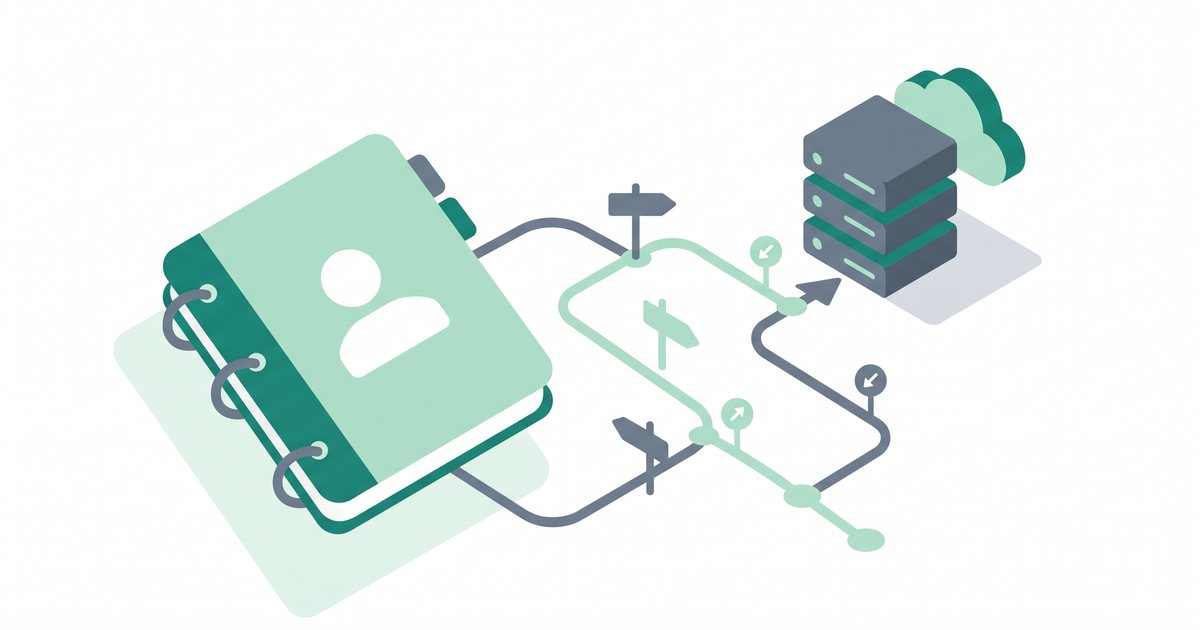
When you type a domain and hit Enter, a fast lookup happens in the background. The system that runs this lookup is the Domain Name System, or DNS for short. DNS is often described as the phone book of the internet: you give it a name, and it hands back the matching number.
Here is the simple version of what happens in the fraction of a second after you press Enter:
- Your browser asks, "What is the IP address for
example.com?" - DNS servers look up the domain and find the IP address of the server where the website is stored.
- Your browser connects to that server using the IP address.
- The server sends back the web page, and it appears on your screen.
The key point is that DNS translates the friendly domain name into the numeric IP address so your browser can connect. You never see the number, and that is the whole idea. The domain is a label; DNS is the lookup service that connects the label to the real location.
Because DNS is doing this translation, it is also the layer you adjust when you want your domain to point at a new website, an email service, or a different host. If you want the full picture of how this lookup works and how to read DNS records, see our guide to what DNS is and how it works.
Domain vs hosting: what's the difference?
This is one of the most common points of confusion for new site owners, so it is worth being crisp about. A domain and web hosting are two separate services that work together.
Your domain is your address. It is the name people type to find you. On its own, a domain does not store any files or show any web pages; it just points somewhere.
Your hosting is where the site lives. Web hosting is a service that stores your website's files, images, and databases on a server that stays online so visitors can reach it any time. The host is the physical location; the domain is the sign out front that tells people where to go.
A common way to picture it: the domain is your home address, and the hosting is the house itself. The address helps people find the house, but the house is where everything actually is. You usually need both to run a real website. You can own a domain with no hosting (many people register names early to reserve them), and you can have hosting reached only by an IP address with no domain, but a normal public website pairs the two.
| Domain name | Web hosting | |
|---|---|---|
| What it is | Your website's address | Where your website's files are stored |
| Analogy | Home address | The house itself |
| You pay | Usually per year | Monthly or yearly |
| Do you need it? | Yes, for a memorable site | Yes, to store and serve the site |
For a deeper comparison, read domain vs hosting explained, and if you are new to hosting itself, start with what web hosting is.
Top-level domains (TLDs): .com, .org, and the rest
The top-level domain is the ending of your domain, and there are many to choose from. They fall into a few groups, and knowing the groups helps you pick well.
Generic TLDs. These are the endings most people recognize:
- .com — the original and still the most trusted general-purpose ending. Most visitors assume a site ends in
.com. - .org — originally for organizations and nonprofits, still widely used by them.
- .net — an older general ending, sometimes chosen when the
.comis taken. - .io — popular with technology startups and apps (technically a country code, but used generically).
- .co — a short, modern alternative to
.com, often used by companies and startups.
Country-code TLDs (ccTLDs). These are two-letter endings tied to a country or region, such as .uk for the United Kingdom, .de for Germany, .ca for Canada, and .in for India. They signal that a site is local to that place, which can help if your audience is in one country. Some ccTLDs have rules about who can register them, so check before you plan around one.
There are also many newer endings like .shop, .blog, and .tech. They can work well for the right project, but they are less familiar to the average visitor. For most new sites, .com is still the default choice. It is the ending people type by habit, and it carries the most built-in trust. If your ideal .com is taken, a clean .co, a relevant ccTLD, or a slightly different name is usually better than a strange ending on the name you wanted.
How to choose a good domain name
A good domain is easy to say, easy to type, and easy to remember. You will use it for years, so it is worth a little thought up front. Here are the guidelines that matter most.
- Keep it short. Shorter names are easier to remember and type, and they leave less room for typos. Aim for something you can say in one breath.
- Make it easy to spell and say. A good test is the "radio test": if you say your domain out loud, can someone type it correctly without seeing it? If a name needs spelling out, it will cost you visitors.
- Make it brandable. A distinctive name is easier to protect and to grow into. Invented or unique words often work better long term than generic phrases.
- Prefer .com when you can. As covered above, it is the ending people default to and trust most.
- Avoid hyphens and numbers. Hyphens and digits are easy to forget and easy to get wrong out loud ("is that the number 4 or the word four?"). They also look less professional.
- Weigh keywords against brand. A keyword in the name (like
bestcoffee.com) can hint at what you do, but a strong brand name usually ages better and is easier to own. Do not force a keyword at the cost of a clean, memorable name. - Check trademarks. Before you commit, make sure your chosen name does not clash with an existing trademark or well-known brand. Using someone else's protected name can force you to give up the domain later, even after you have built on it.
When you are ready to register the name you settled on, our step-by-step walkthrough covers the whole process: how to buy a domain name.
Registrars, ICANN, WHOIS and domain privacy
You do not register a domain directly with the internet. You go through a company called a registrar, which is a business allowed to sell and manage domain names. Well-known registrars include Namecheap, GoDaddy, Cloudflare, and Google Domains' successor services, among many others. Many web hosts, such as Hostinger and Bluehost, also let you register a domain as part of signing up. Any accredited registrar can register the same domains; they differ mainly in price, dashboard, and the extra services they bundle.
Registrars are able to do this because they are accredited by ICANN, the Internet Corporation for Assigned Names and Numbers. ICANN is the nonprofit body that coordinates the domain name system worldwide. It does not sell domains to the public; instead, it sets the rules and accredits the registrars who do. Think of ICANN as the organization that keeps the whole naming system consistent and working.
Every domain registration is recorded in a public directory called WHOIS. WHOIS lists information about who registered a domain and how to contact them. Historically this meant your name, address, email, and phone number could be looked up by anyone.
That is where domain privacy comes in. Domain privacy (sometimes called WHOIS privacy or privacy protection) replaces your personal details in the public record with the registrar's forwarding information, so your home address and phone number are not exposed to spammers and scammers. Many registrars now include this for free; some charge a small yearly fee. Prices and inclusions vary, so verify current terms with the registrar before you buy. In almost every case, turning privacy on is the right call.
Registering, renewing and "owning" a domain
Here is a fact that surprises many first-time buyers: you do not own a domain forever. You lease it. When you register a domain, you are paying for the exclusive right to use that name for a set period, usually one year at a time, though you can often register for several years at once.
As long as you keep renewing, the domain stays yours and no one else can take it. But if you let the registration lapse, the domain eventually becomes available for someone else to register. This is why renewing matters so much. A domain that expires can be snapped up quickly, especially if it gets any traffic, and getting it back can be difficult or costly.
The single best habit is to turn on auto-renew in your registrar account. Auto-renew charges your saved payment method before the domain expires, so you do not lose it to a missed email. Keep the card on file current, and keep the email address on your registrar account active, since that is where renewal notices are sent. Actual renewal prices differ by registrar and by TLD, so check the current renewal rate, not just the first-year price, when you sign up.
Ready to reserve your name? Follow our full guide: how to buy a domain name.
Pointing and transferring a domain (overview)
Once you own a domain, two tasks come up again and again. Both sound technical but are routine once you have done them once.
Pointing a domain means connecting your domain to your hosting so that typing the name loads your website. You do this by updating the domain's DNS records or its nameservers (the servers that answer DNS questions for your domain) to point at your host. In plain terms, you are telling the internet, "When someone asks for this name, send them to this server." Our walkthrough covers exactly which settings to change: how to point a domain to your hosting.
Transferring a domain means moving the registration from one registrar to another, for example if you find better pricing or want all your domains in one account. A transfer changes who manages the domain, not the domain itself; your name stays exactly the same. Transfers involve unlocking the domain and using an authorization code, and there is usually a short waiting period. Step-by-step details are here: how to transfer a domain.
Common domain mistakes to avoid
Most domain regrets come from a handful of avoidable errors. Watch for these:
- Letting the domain expire. A missed renewal can hand your name to someone else. Auto-renew and a current payment method prevent this.
- Choosing a hard-to-spell name. If people cannot spell it after hearing it, they cannot find you. Favor names that pass the radio test.
- Ignoring trademarks. Registering a name that clashes with an existing brand can force you to surrender the domain later, wasting everything you built on it.
- Skipping domain privacy. Leaving your real name, address, and phone number in the public WHOIS record invites spam and scam calls. Turn privacy on unless you have a specific reason not to.
- Assuming you own it forever. A domain is a lease, not a permanent purchase. Treat renewals as non-optional.
Frequently asked questions
What is a domain name in simple terms?
A domain name is the address you type into a browser to reach a website, like example.com. It is a friendly stand-in for a numeric IP address, so you can remember a name instead of a long string of numbers. It is how people find your site online.
What are the parts of a domain?
A domain has three main parts, read right to left. In blog.yourbrand.com, .com is the top-level domain (TLD), yourbrand is the second-level domain (your brand name, the part you register), and blog is a subdomain (an optional section you can create for free).
Do I own my domain forever?
No. You lease a domain, usually one year at a time, and you keep it only as long as you keep renewing. If you let it expire, it can be registered by someone else. Turning on auto-renew is the safest way to keep your domain.
What's the best TLD to use?
For most new websites, .com is still the best choice because it is the most familiar and trusted ending. If your .com is taken, a clean option like .co, a relevant country code such as .uk or .de, or a slightly different name is usually better than an unusual ending.
What's the difference between a domain and a URL?
A domain is just the name, like example.com. A URL is the full address of a specific page and includes the domain plus extra parts, such as https://example.com/about. Every URL contains a domain, but a domain by itself is not a complete URL.
What's the difference between a domain and web hosting?
The domain is your website's address; hosting is where the website's files are stored and served from. The domain points visitors to the host. Most public websites need both, and you can buy them from the same company or from two different ones.
How much does a domain name cost?
Prices vary by registrar and by TLD, and a first-year discount is often lower than the standard renewal rate. Because pricing changes often, verify the current registration and renewal price with the registrar before you buy, and check whether domain privacy is included or costs extra.
Summary
A domain name is the human-friendly address people use to reach your website, standing in for a numeric IP address. It is built from a subdomain, a second-level domain, and a top-level domain, and DNS translates that name into the server's IP so browsers can connect. A domain is not the same as hosting: the domain is your address, hosting is where the site lives, and most sites need both. You lease a domain rather than own it forever, so renewing matters, and a short, easy-to-spell .com registered through a reputable registrar with privacy turned on is a solid default. When you are ready to take the first practical step, follow our guide to how to buy a domain name.
A small setup tip. If you are starting a brand-new site, registering your domain with the same provider that handles your hosting keeps things simple: one login, one bill, and pointing the domain at your site is usually handled for you. Some hosts also include a free domain for the first year with an annual plan, which saves a little at the start. Hostinger is one example of a host that bundles a domain this way. Compare current plans and inclusions to see whether it fits your situation, since prices and free-domain offers change and are best verified at checkout.
If valid at the time of purchase, new users may also be able to apply a coupon such as SPECIAL15 or SPECIAL10, subject to Hostinger's terms.
Affiliate disclosure: if you sign up through this link we may earn a commission, at no extra cost to you. How this works.
References
- ICANN — About the Domain Name System and registrar accreditation (icann.org).
- ICANN — Registrant rights, WHOIS and domain privacy guidance (icann.org).
- Internet Assigned Numbers Authority (IANA) — Root Zone Database of top-level domains (iana.org).