How to Spot a Crypto Phishing Attack

Key takeaways
- Phishing is a trick that gets you to reveal a login, a private key, or your seed phrase, or to approve a transaction you did not mean to.
- It usually arrives as a fake email, message, pop-up, or website that looks like a real exchange, wallet, or support team.
- The clearest red flags are urgency, unsolicited contact, look-alike web addresses, and any request for your seed phrase.
- No genuine service will ever ask for your seed phrase or private keys — anyone who does is trying to steal from you.
- Type addresses yourself or use bookmarks, turn on two-factor authentication, and slow down before you click, sign, or paste anything.
Most crypto is not lost to clever hacking. It is lost because someone is tricked into handing it over. That trick has a name: phishing. It is one of the most common ways attackers reach ordinary users, and it works because it targets people, not code.
This guide explains what a crypto phishing attack is, the common forms it takes, and the warning signs that give it away. You will also learn simple habits that stop most attempts, and what to do if you think you already clicked. It is written in plain English for beginners.
Who this guide is for:
- Beginners who want to keep their crypto accounts and wallets safe.
- Anyone who has received an odd email, DM, or pop-up about their crypto.
- People who want a clear checklist of red flags to watch for.
Phishing is just one type of trick. For the bigger picture, see our overview of common crypto scams, then come back here for the detail.
What is a crypto phishing attack?
A crypto phishing attack is when someone pretends to be a service you trust in order to trick you into revealing a secret or approving a transaction. The goal is to get your login details, your private keys, or your seed phrase, or to make you sign a transaction that drains your wallet.
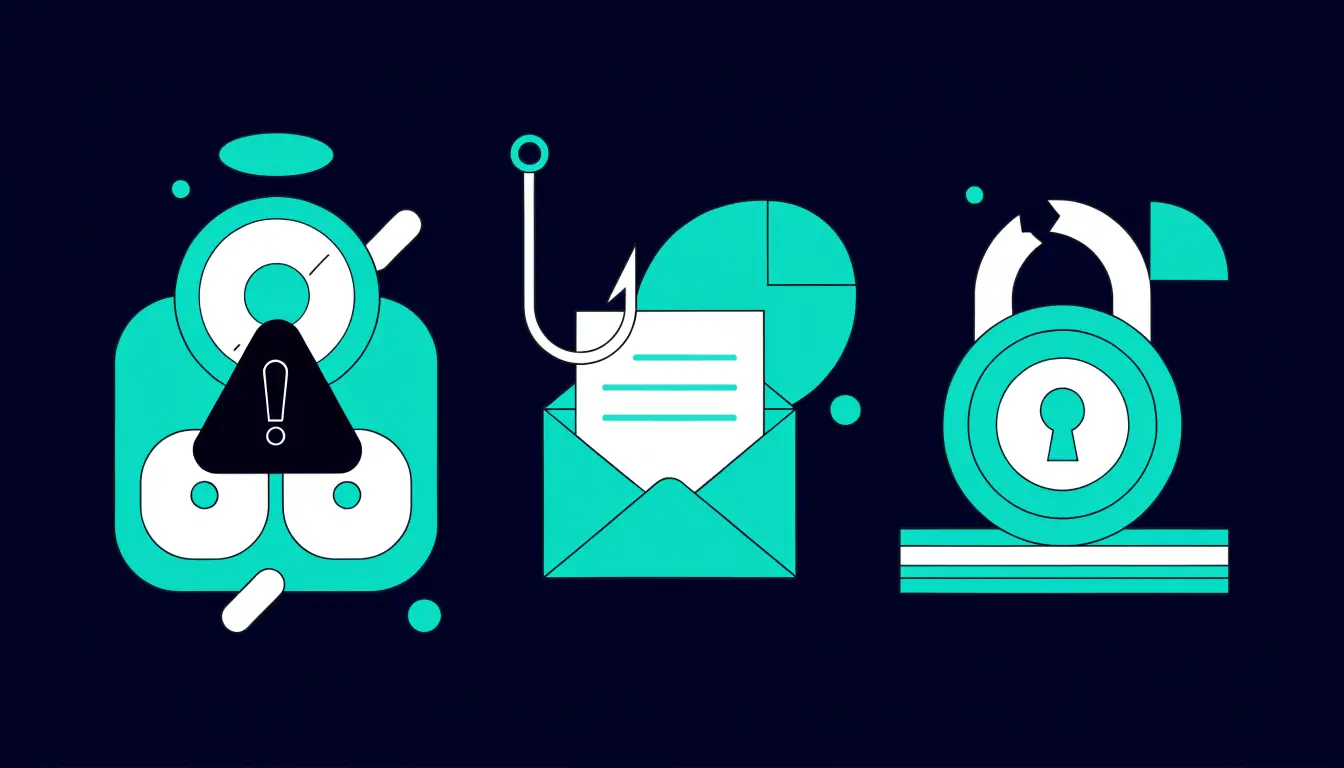
The word "phishing" comes from "fishing" — the attacker casts out bait and waits for someone to bite. The bait is a message or page that looks official: a login screen, a security alert, a support chat, or a wallet pop-up. If you trust it and act, the attacker gets what they need.
Phishing works because it targets your habits and emotions, not a weakness in the technology. A hardware wallet or a strong password cannot help if you type your seed phrase into a fake site yourself. That is why learning to spot the bait matters more than any single security tool.
Simple analogy: phishing is like a stranger in a fake uniform asking for your house keys "to check the locks." The uniform looks real, but handing over the keys is the whole trap.
Common types of crypto phishing
Phishing comes in several forms, but they all share one aim: to get you to act on a fake. Here are the types you are most likely to meet.

- Fake emails. A message that looks like it is from your exchange or wallet, warning of a "problem" and linking to a page that steals your login.
- Fake support DMs. A stranger messages you on social media or a chat app, claiming to be "support" and offering to "help" — often after you post a public question.
- Fake login pages and websites. A copy of a real site at a slightly wrong web address. You type your password and it goes straight to the attacker.
- Fake wallet pop-ups. A pop-up or browser extension that mimics your wallet and asks you to "verify" or "reconnect" by entering your seed phrase or signing a transaction.
- Seed-phrase phishing. Any message or form that asks you to enter your 12 or 24 recovery words to "restore," "sync," or "validate" your wallet. This is always a scam.
Fake apps and cloned sites are a big part of this problem. Learn how to tell the real ones apart in our guide to fake crypto apps and websites.
Warning signs of a phishing attempt
Most phishing shares the same tells. If you learn to spot even one of these, you can usually stop the attack before it starts. Watch for:
- Urgency and pressure. "Your account will be locked in 24 hours." Scammers rush you so you act before you think.
- Unsolicited contact. A message, call, or DM you did not ask for — especially one that reaches out first to "help" or "warn" you.
- Look-alike web addresses. A URL with a small change: an extra letter, a dash, a different ending, or a lookalike character. The page may look perfect while the address is wrong.
- Requests for your seed phrase or keys. Any ask for your recovery words, private key, or full password is a hard stop.
- Too-good offers. Free coins, "airdrops," giveaways, or doubling your money — bait that gets you to connect a wallet or send funds first.
Warning: no legitimate exchange, wallet, or support team will ever ask for your seed phrase or private keys. There is no real reason they would need them. If anyone asks — by email, chat, form, or pop-up — it is a scam, every time.
How to protect yourself
You do not need special software to beat phishing — you need a few steady habits. These stop the large majority of attempts.

- Type addresses or use bookmarks. Reach your exchange or wallet by typing the address yourself or using a saved bookmark. Do not follow links from emails or messages to log in.
- Verify the sender. Check the real email address, not just the display name. When in doubt, contact the company through its official site — never through the message that reached you.
- Turn on two-factor authentication. A second step blocks logins even if your password leaks. See how to set up 2FA.
- Never enter your seed phrase online. Your recovery words belong offline, on paper, only. No real site or app needs you to type them in. Learn why in what is a seed phrase.
- Check the address bar. Before you log in or sign anything, read the full web address slowly, letter by letter. If it is even slightly off, close the tab.
What to do if you clicked or entered details
If you think you fell for a phishing attempt, act fast. Speed limits the damage. Work through these steps in order:
- Change your passwords now. Update the affected account first, then any other account using the same password. Turn on 2FA if it is not already on.
- Move your funds if your keys are exposed. If you entered your seed phrase or private key, that wallet is no longer safe. Create a new wallet and move your crypto to it straight away.
- Revoke wallet approvals. If you connected your wallet or signed something, use a token-approval tool to cancel any permissions you granted to unknown sites.
- Report it. Tell the real exchange or wallet provider, and report the scam to your local authority so others are warned.
For a full recovery checklist and where to report, read what to do if you are scammed in crypto.
Tips and common mistakes
Helpful tips
- Slow down. Phishing depends on speed. Pausing for even a minute is often enough to notice the trick.
- Bookmark the real sites you use, and only reach them through those bookmarks.
- Treat every "support" DM as fake until you prove otherwise. Real support does not message you first out of the blue.
- Keep your seed phrase offline, written on paper, and never photograph or type it into any website.
Common mistakes to avoid
- Clicking login links in emails. Even a small mistake here can hand over your password.
- Trusting the display name instead of checking the real address a message came from.
- Entering your seed phrase to "fix" or "verify" a wallet. No genuine step ever needs this.
- Assuming a padlock icon means safe. A padlock only means the connection is encrypted — a fake site can have one too.
Frequently asked questions
What is crypto phishing?
Crypto phishing is a trick where an attacker pretends to be a service you trust — an exchange, wallet, or support team — to get you to reveal a login, private key, or seed phrase, or to approve a transaction that drains your funds.
How do I know if a site is fake?
Read the full web address slowly. Fake sites use look-alike URLs with an extra letter, a dash, or a different ending. When in doubt, leave the page and reach the site through your own bookmark or by typing the address yourself.
Can phishing steal my crypto?
Yes. If you enter your login on a fake page, hand over your seed phrase, or sign a malicious transaction, an attacker can take your funds. Because crypto transactions cannot be reversed, the loss is usually permanent — which is why prevention matters so much.
What if I entered my seed phrase?
Treat that wallet as compromised. Create a brand-new wallet with a fresh seed phrase and move your crypto to it as fast as you can. A seed phrase cannot be changed, so the only safe fix is to move everything to a new wallet.
Does 2FA stop phishing?
Two-factor authentication is a strong extra layer that blocks many attacks, especially if your password leaks. But it is not perfect — some phishing pages try to capture 2FA codes too. Use 2FA, and still check every address and message carefully.
Summary
Phishing is the trick behind most crypto losses: a fake email, message, page, or pop-up that gets you to hand over a login or seed phrase, or approve a bad transaction. The tells are always the same — urgency, unsolicited contact, look-alike addresses, and any request for your recovery words. Type your own addresses, verify senders, turn on 2FA, and never enter your seed phrase online.
Next step: want the full map of tricks to watch for? Read our guide to common crypto scams.