A CDN (content delivery network) is a network of servers spread around the world that store cached copies of your site's static content and serve each visitor from the location closest to them. This shortens the distance data travels, so your pages load faster for people everywhere.
Key takeaways
- A CDN keeps copies of your images, CSS, and JavaScript on servers near your visitors, so pages load faster worldwide.
- It also lowers the load on your main server, adds resilience, and helps defend against traffic attacks.
- You likely want one if your audience is global, image-heavy, or growing; a small local site can wait.
- Free tiers exist (for example, Cloudflare), so the cost of trying one is often nothing.
- A CDN works alongside your hosting and caching. It does not replace either one.
Disclosure: Some links on this page are affiliate links. If you sign up through them, we may earn a commission at no extra cost to you. We only recommend what genuinely helps with the topic this page covers, and our guidance stays the same either way.
What a CDN actually is
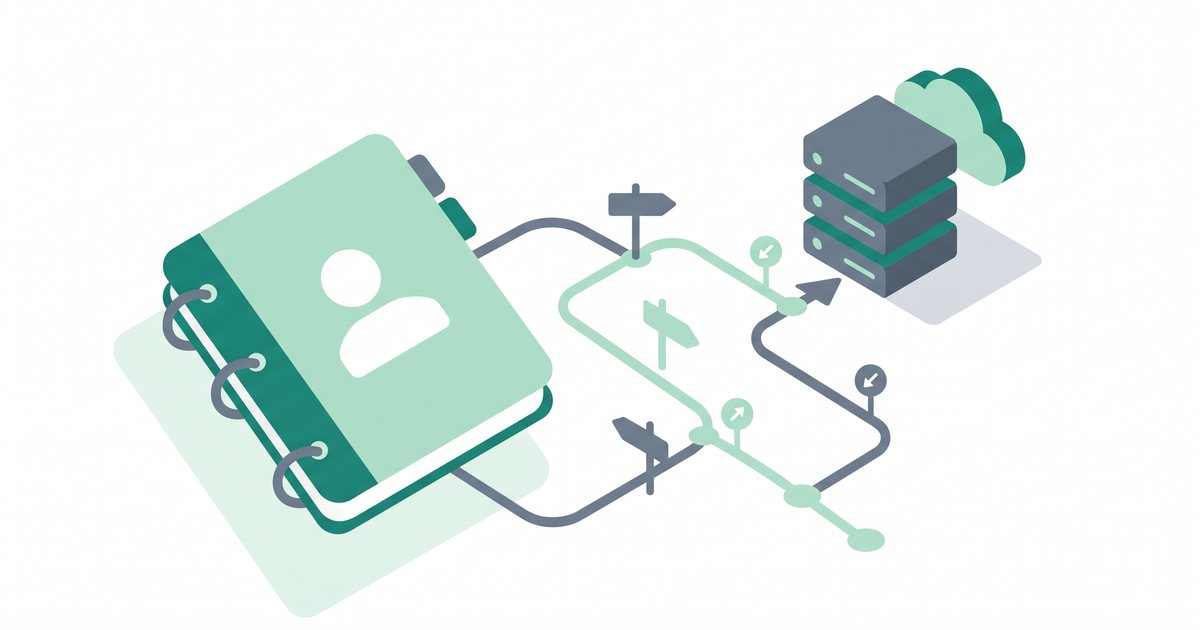
The letters stand for content delivery network: a group of servers placed in data centers across many cities and countries. Each of those servers holds a saved copy of your site's static content — the files that look the same for every visitor, such as images, stylesheets, and scripts. When someone opens your site, the network hands them those files from the server nearest to them instead of from your one home server far away.
Think of it like a popular book. If a library kept a single copy in one city, readers everywhere would wait for it to travel to them. A CDN is like stocking that same book in hundreds of local branches, so a copy is always close by. If you are working through broader speed fixes, this page is part of our website speed optimization guide.
How does a CDN work, step by step?
The idea sounds technical, but the flow is simple. Here is what happens once a CDN is in place:
- You connect your site to a CDN, usually by signing up and pointing part of your setup at the network.
- The CDN copies (or caches, meaning it saves a ready-to-serve version of) your static files onto its edge servers — also called PoPs, short for points of presence. These are the local outposts scattered around the globe.
- When a visitor loads your site, those files arrive from the nearest edge server rather than from your origin server — the main server where your website actually lives.
- Because the data travels a shorter distance, the page appears sooner. A visitor in Sydney no longer has to pull every image across an ocean from a server in New York.
A CDN caches static content only. Requests that need fresh, personal data — like a logged-in dashboard or a checkout page — still pass through to your origin server, which is exactly what you want.
The benefits of using a CDN
Speed is the headline reason, but a CDN does more than shave off milliseconds. The main gains are:
- Faster load times, especially for far-away visitors who would otherwise wait the longest.
- Less load and bandwidth on your origin server, because the edge servers handle most of the file requests instead of your host.
- Better uptime and resilience. If a burst of traffic or a single data center hiccups, other edge locations keep serving your content.
- DDoS protection. A DDoS attack tries to knock a site offline by flooding it with fake traffic; a large CDN can absorb and filter much of that flood before it reaches you.
- Improved server response and rendering scores. By trimming distance and offloading work, a CDN can help your server response time and your Core Web Vitals, including Largest Contentful Paint (the moment your biggest visible element finishes loading).
Do you actually need a CDN?
Not every site must have one, so it helps to match the tool to your situation. A CDN is worth setting up if any of these describe you:
- Your audience is global or spread across regions, so distance is hurting some visitors.
- Your pages carry lots of images, video, or other media that take time to download.
- You get high or spiky traffic that strains a single server.
- You are growing and want headroom before problems appear.
A CDN matters less for a small, purely local site — say, a neighborhood cafe whose visitors all live nearby and load a handful of light pages. Even then, the bar to try one is low. Because free tiers exist, many owners turn a CDN on simply for the security and reliability perks, not just the speed. If you are unsure, starting on a free plan costs you nothing but a little setup time.
Popular CDNs at a glance
Several well-known providers can serve your content globally. The list below is in no particular order, and pricing changes often, so always check current plans on each provider's own site.
| CDN | One-line note |
|---|
| Cloudflare | Widely used and beginner-friendly, with a free tier that includes CDN and basic security. |
| BunnyCDN | A lightweight, pay-as-you-go network aimed at simple, affordable content delivery. |
| Fastly | A developer-focused CDN known for fine-grained control and fast cache updates. |
| Amazon CloudFront | Amazon Web Services' CDN, a natural fit if your site already lives in the AWS ecosystem. |
| KeyCDN | A straightforward pull-zone CDN with a global network and usage-based pricing. |
Each of these will speed up delivery; the right pick depends on your budget, your comfort with settings, and where your visitors are.
CDN vs hosting vs caching
These three often get mixed up, so it helps to see how they fit together rather than compete:
- Hosting is where your website lives — the origin server that stores your files and runs your site.
- Caching is the practice of saving a ready-made version of a page or file so it does not have to be rebuilt on every visit. It can happen on your host and in the visitor's browser.
- A CDN is the global delivery layer that caches your static files close to visitors.
A CDN complements your hosting and your caching. It does not replace either one. You still need a solid host for your origin, and good caching still helps; the CDN adds distance and offloading on top.
How to set up a CDN
Getting started is more approachable than it looks. Here is the general path, which is broadly the same across providers:
- Choose a CDN. Pick one that fits your budget and audience; a free tier is a fine place to start.
- Sign up and add your website. Create an account and enter your site's domain so the CDN knows what to serve.
- Connect it. There are two common ways. You can route your DNS through the CDN — for example, Cloudflare asks you to change your domain's nameservers (the records that decide which servers answer for your domain). Or you can create a pull zone (a CDN address that mirrors your files) and update your asset URLs to point at it.
- Enable caching and confirm SSL is on end to end. Turn on caching for your static files, and make sure SSL/HTTPS is active from visitor to CDN to origin, so every hop is encrypted.
- Test your site's speed and verify the CDN is serving assets. Run a speed test and check that files are being delivered from the CDN's edge, not just from your origin.
Give a new CDN a little time. DNS changes can take a few hours to spread, and the first visitor to each region "warms" the local cache, so speed improves as your content fills the edge servers.
Common mistakes to avoid
A CDN cannot rescue a slow origin. If your server or database is slow to build a page, the CDN still has to wait for that first response. Fix the origin too — a CDN speeds up delivery, not the work your server does to create a page.
The other frequent slip-ups are:
- Caching dynamic or personalized pages incorrectly. If you let the CDN cache a logged-in view or a cart page, one visitor can be shown another person's content. Cache static files, and let personal pages pass through to the origin.
- SSL misconfiguration. A mismatch between your CDN and origin security settings can trigger redirect loops or certificate errors. Set encryption to be active on both ends before you go live.
Frequently asked questions
What is a CDN in simple terms?
A CDN is a worldwide network of servers that keep copies of your website's files close to your visitors. When someone opens your site, the files come from a nearby server, so the page loads faster than it would from one distant home server.
Do I need a CDN for a small website?
If your visitors are all local and your pages are light, you may not need one right away. That said, free tiers exist, so many small-site owners still turn one on for the speed, security, and reliability it adds at little to no cost.
Does a CDN make my site faster?
Usually, yes — especially for visitors far from your origin server and for image-heavy pages. It shortens the distance data travels and reduces the load on your host. It cannot, however, fix a slow origin server or database, which you should address separately.
Is Cloudflare a CDN?
Yes. Cloudflare is one of the most widely used CDNs, and it also bundles security features like DDoS protection. It offers a free tier, which makes it a common starting point for people trying a CDN for the first time.
Does a CDN replace web hosting?
No. A CDN delivers cached copies of your static files, but your website still needs a host — the origin server where the real site lives. A CDN works alongside your hosting, not in place of it.
What is an edge server or PoP?
An edge server, also called a PoP (point of presence), is one of the CDN's local servers placed in a city or region. It stores cached copies of your files and serves them to nearby visitors so the data has less distance to travel.
Is a CDN the same as caching?
Not quite. Caching is the practice of saving a ready-made version of content so it need not be rebuilt each time. A CDN uses caching, but its extra job is placing that cached content on servers around the world, close to your audience.
Summary
A CDN is a global network of servers that caches your static files — images, CSS, and JavaScript — and serves each visitor from the nearest edge server. That means faster load times, a lighter load on your origin, better resilience, and built-in defense against traffic attacks. It is well worth it for global, media-rich, or growing sites, and easy to try thanks to free tiers. Just remember a CDN complements your hosting and caching rather than replacing them, and it cannot mask a slow origin. Next, tighten the source itself by learning how to reduce your server response time.
Where a CDN fits with your host. A CDN gives its best results when it sits on top of solid hosting — it speeds up delivery, but the quality of your origin server still sets the pace for everything that is not cached. If you are serving a global audience and speed matters, pairing a fast host with a CDN gives you the strongest result. Many hosts, such as Hostinger, integrate a CDN or make one simple to connect, so you can get both without stitching everything together yourself. If valid at the time of purchase, new users may also be able to apply a coupon such as SPECIAL15 or SPECIAL10, subject to Hostinger's terms.
Compare Hostinger plans →
Affiliate disclosure: if you sign up through this link we may earn a commission, at no extra cost to you. How this works.
References
- Cloudflare Learning Center — "What is a CDN?" and related content delivery guides.
- MDN Web Docs — caching and HTTP delivery documentation.
- Google web.dev — Core Web Vitals and Largest Contentful Paint guidance.
- Provider documentation from Cloudflare, BunnyCDN, Fastly, Amazon CloudFront, and KeyCDN for current features and setup steps.