How to Complete Bitget KYC (Identity Verification): 2026 Beginner's Guide

Key takeaways
- KYC is mandatory. Since September 2023, every Bitget user must verify their identity. You cannot trade, deposit, or withdraw without it.
- You need a government photo ID (passport, ID card, driver's licence, or residence permit) and a quick face scan. You must be 18 or older.
- There are two levels. Level 1 (Basic) unlocks the core features; Level 2 (Advanced) adds proof of address and higher limits.
- It's fast. Verification is usually done in minutes — Bitget says no longer than about 4 hours.
"KYC" stands for Know Your Customer. It is the process where an exchange confirms you are a real person by checking an official ID. On Bitget, completing KYC is the step that turns a brand-new account into one you can actually use.
This guide explains, in plain language, why Bitget now requires KYC, what documents you need, and exactly how to complete it — step by step. If you have read older guides that say you can "trade on Bitget without verifying your identity," those are out of date. That rule changed in 2023, and this guide reflects the current process.
Who this guide is for:
- Complete beginners opening their first Bitget account.
- Anyone stuck at the verification step or unsure which documents to use.
- Users who read older, no-longer-accurate "no-KYC" guides.
What you need before you start
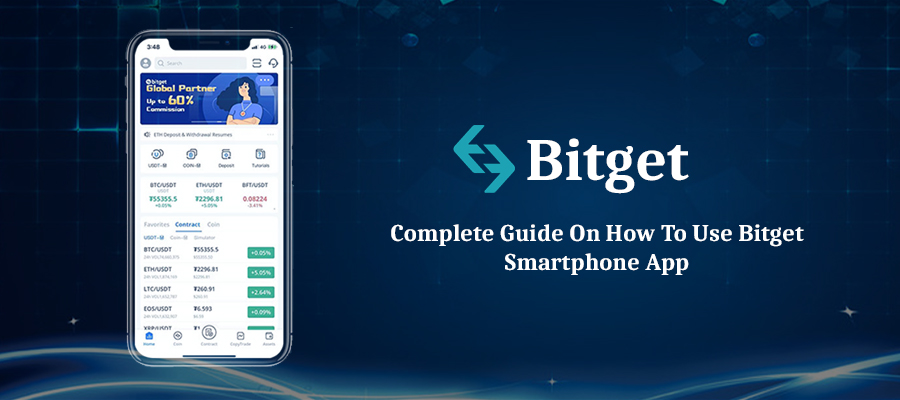
- A registered Bitget account (email or phone number). New here? See our guide to using the Bitget app.
- A valid, in-date government photo ID.
- A phone or webcam for the face (liveness) scan.
- About 5–10 minutes of quiet, well-lit time.
Is Bitget KYC mandatory in 2026?
Yes. Bitget made identity verification mandatory for all users on 1 September 2023. Since 20 July 2024, users who have not completed at least Level 1 verification cannot withdraw, deposit, or trade — including on-chain withdrawals and internal transfers.
In short: no KYC, no trading. This is normal for major regulated exchanges and is designed to reduce fraud and money laundering. It is also why any guide telling you to skip verification is outdated.
Tip: KYC also protects you — a verified account is easier to recover if you ever lose access, and it unlocks higher withdrawal limits.
Bitget verification levels explained
Bitget uses a two-level system for individual accounts. Most people only need Level 1 to start.
| Level | What you submit | What it unlocks |
|---|---|---|
| Level 1 — Basic | Government photo ID + face (liveness) scan. Must be 18+. | Deposits, spot & futures trading, withdrawals, Earn, Copy Trading, and Launchpad. |
| Level 2 — Advanced | Everything in Level 1, plus proof of address. | Higher withdrawal limits. |
Higher KYC levels come with higher daily withdrawal limits. The exact figures change over time and by account type, so always check the current limits on Bitget's official fee and limit pages rather than relying on a number you read in an article.
Documents you can use
For Level 1, any one of these government-issued photo IDs is accepted:
- Passport
- National ID card
- Driver's licence
- Residence permit
You will also complete a quick facial recognition (liveness) check to prove the ID belongs to you. For Level 2, you add a proof of address (such as a recent utility bill or bank statement, depending on what Bitget requests).
How to complete Bitget KYC step by step
Step 1 — Open Identity Verification
Log in, then open your profile (the person icon). Go to Identity Verification (on the app it may sit under Account or the Security Centre).
Step 2 — Choose your country/region
Select the country that issued your ID. This decides which document types you can use.
Step 3 — Enter your details and pick your document
Type your legal name and date of birth exactly as they appear on your ID, then choose your document type (passport, ID card, driver's licence, or residence permit).
Step 4 — Upload or photograph your ID
Take a clear photo of your document. Make sure all four corners are visible, the text is sharp, and there is no glare covering any information.
Step 5 — Complete the face scan
Follow the on-screen prompts for the liveness check (usually looking at the camera and turning your head). Good lighting and no hat or sunglasses help it pass first time.
Step 6 — Submit and wait
Submit and wait for the result. It's usually processed in minutes; Bitget states it should take no longer than about 4 hours. You'll get a notification when it's approved.
After KYC: lock down your account
Verification proves who you are. These free security settings protect your funds — turn them on straight away:
- Two-factor authentication (2FA): Bitget supports SMS, Google Authenticator, and Passkey. Google Authenticator or a Passkey are the strongest options.
- Anti-phishing code: a personal code Bitget adds to its genuine emails and texts, so you can instantly spot fake ones.
- Fund password: a separate code required for withdrawals. Note: changing it (or your login password) triggers a 24-hour hold on withdrawals as a safety measure.
Warning: Bitget will never ask for your password, 2FA codes, or seed phrase. Anyone who does is a scammer. Always check the web address is the official bitget.com before logging in.
Common mistakes to avoid
Watch out for these:
- Name mismatch: the name on your Bitget account must match your ID exactly. Nicknames or typos cause rejection.
- Expired or damaged ID: use an in-date, undamaged document.
- Blurry photos or glare: the most common reason KYC fails. Retake in good light.
- Using someone else's ID: accounts must belong to the ID holder. This breaches Bitget's terms.
- Poor face-scan conditions: remove hats/sunglasses and face a plain, well-lit background.
Frequently asked questions
Can I use Bitget without KYC?
No. Since September 2023, KYC is mandatory. Without at least Level 1 verification you cannot trade, deposit, or withdraw.
How long does Bitget KYC take?
Usually a few minutes. Bitget states it should take no longer than about 4 hours. If it takes longer, contact official Bitget support.
Why was my Bitget KYC rejected?
The usual causes are a blurry ID photo, a name that doesn't match your account, an expired document, or a failed face scan. Fix the issue and resubmit.
Is Bitget KYC safe?
KYC is a standard requirement at major exchanges. Only ever submit documents inside the official Bitget app or on bitget.com — never through a link someone sends you.
Do I need Level 2 verification?
Only if you need higher withdrawal limits. Level 1 is enough for most beginners to trade, deposit, and withdraw.
Summary
Bitget KYC is now a required, one-time step: submit a government photo ID, pass a quick face scan, and you're usually verified within minutes. Level 1 unlocks trading, deposits, and withdrawals; Level 2 adds higher limits. Once verified, switch on 2FA, an anti-phishing code, and a fund password to keep your account safe.
Next step: learn how to fund your account with our Bitget deposit guide, or check whether the platform fits your needs in our is-Bitget-safe review.